
Music Tag Editor for Your Library
Tagsmith helps music collectors edit tags, add album art and organize files on Android. Fix individual songs or use Pro tools to update albums and rename files in batches.
Get it on Google Play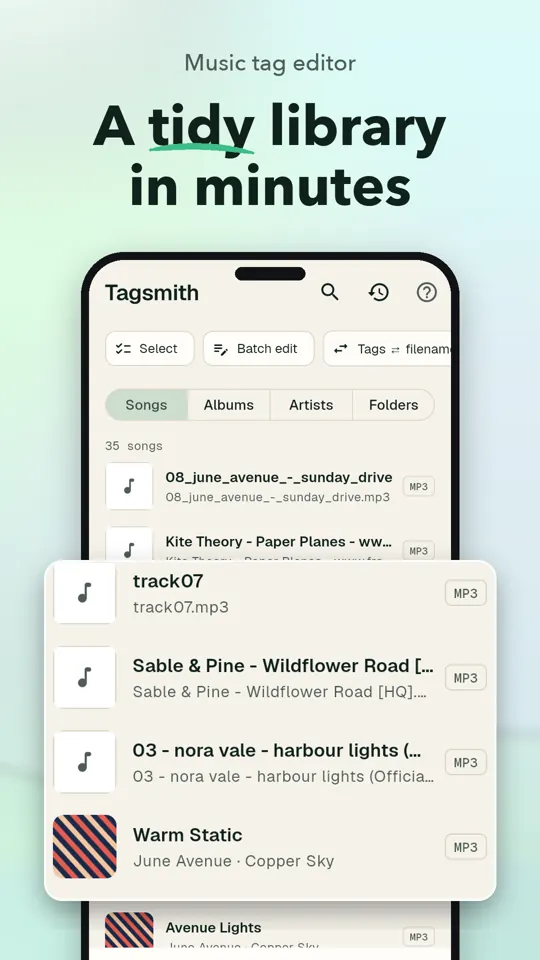
See Tagsmith in Action
Music Tag Editing Features
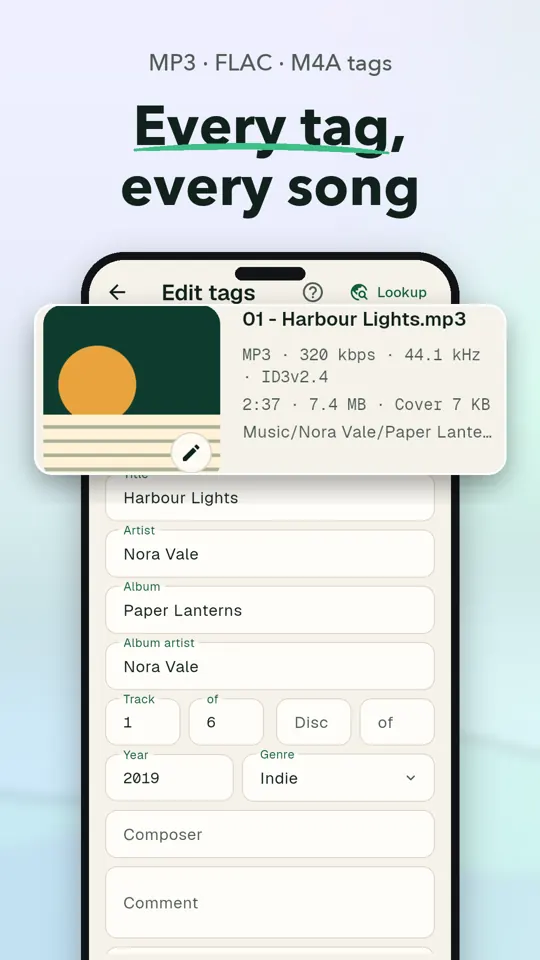
Edit Every Music Tag
Update titles, artists, albums, track numbers, year, genre, composer, comments and lyrics. Unsaved changes are highlighted, and you can revert individual fields.
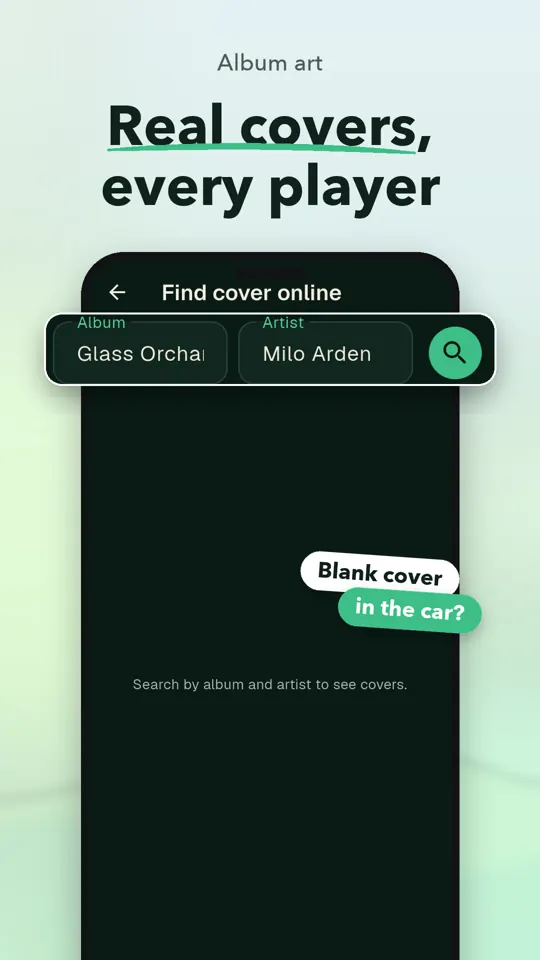
Add Album Art That Sticks
Choose a cover from your gallery and crop it, or use Pro to find cover art online. Tagsmith embeds the art in the audio file and refreshes the system media library.
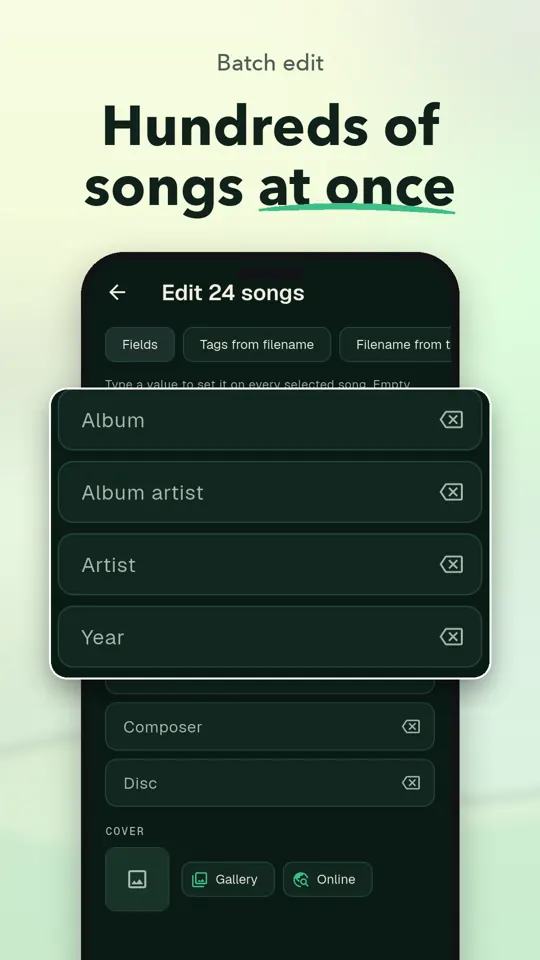
Edit Albums in Batches
With Pro, select songs and apply an album, album artist, year, genre or cover. Preview changes before saving.
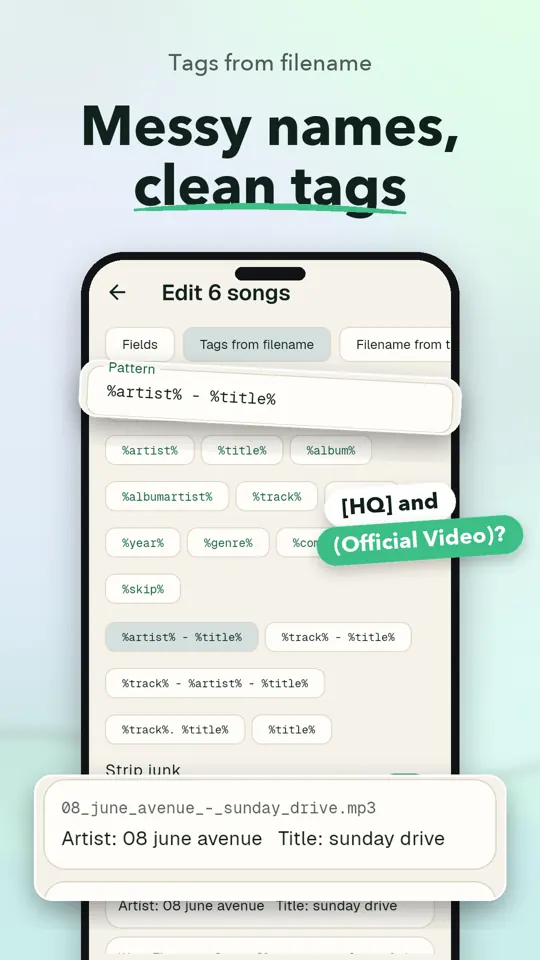
Turn Filenames Into Tags
Pro can read track, artist and title information from filenames using a pattern you choose. You can also rename files from their tags.
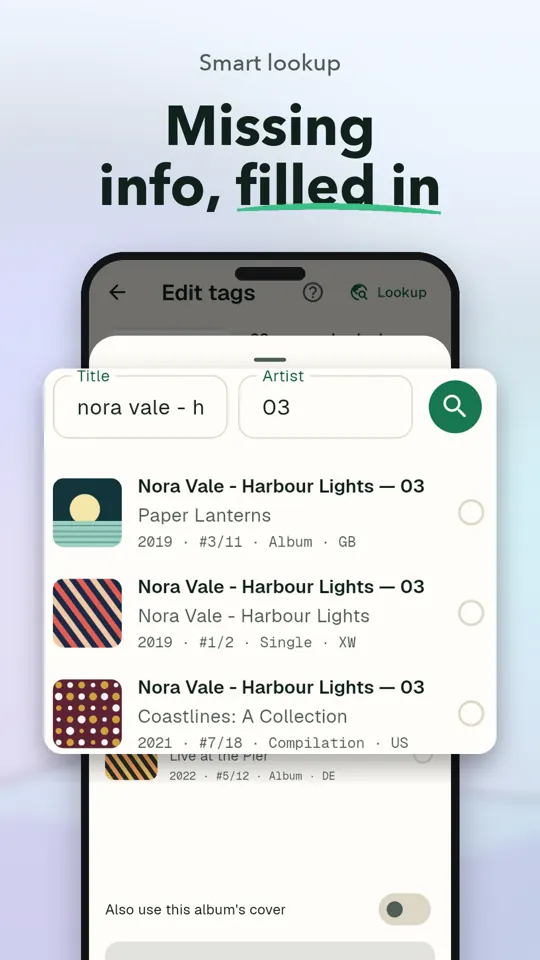
Look Up Missing Details
Search MusicBrainz by artist and title, or by filename when tags are empty. Review matching releases and their track numbers and dates before filling in fields.
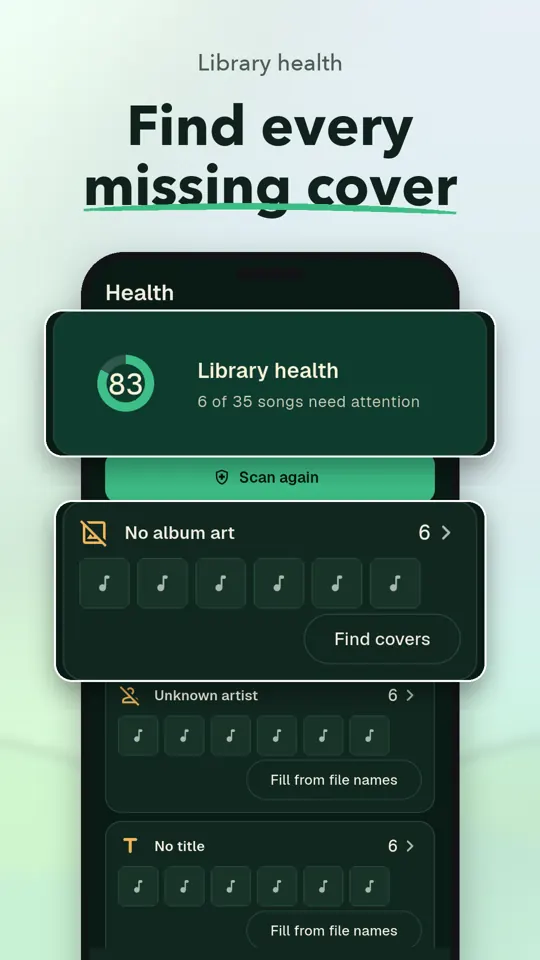
Scan Library Health
Find songs without album art or an album name, along with possible duplicates. Pro adds one-tap fixes for supported library issues.
Work With Common Formats
Edit MP3, FLAC, M4A, OGG Vorbis, Opus and WAV files. Tags and covers are written in the format used by each file.
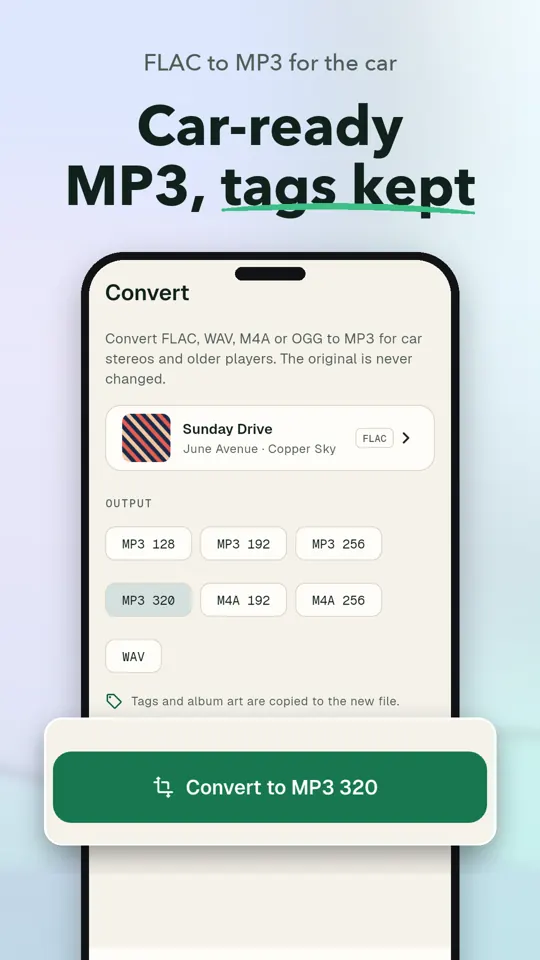
Convert Audio for Car Stereos
Convert FLAC, WAV or M4A files to MP3, with tags and cover art carried along. The original file is left untouched.
Get Started in Three Steps
Choose a song
Open your music library and select the song you want to edit.
Make your changes
Edit tags, add a cover or use a lookup to fill in missing details.
Review and save
Check your changes and save them to the audio file.
Who Tagsmith Helps
- Organizing MP3s from old CDs
- Fixing tags on FLAC albums
- Tidying M4A files moved from iTunes
- Preparing music for a car USB stick
- Cleaning up a Plex music library
- Getting songs in order for Poweramp
Free vs Pro
Free
- Edit every field of a song
- Add album art from your gallery
- Run 10 smart lookups a day
- Scan your library for issues
- Convert to MP3 or M4A
Pro
- Batch editing and filename tools
- Unlimited smart lookups
- Web cover art and embedded lyrics
- One-tap library health fixes
- MP3 at 256 or 320 kbps, M4A at 256 kbps and lossless WAV conversion
- No ads; monthly, yearly or lifetime purchase options
Frequently Asked Questions
Does Tagsmith work offline?
You can edit tags, add gallery art, scan your library and convert files on your phone. Smart lookup needs an internet connection.
Is Tagsmith free?
The free version includes editing every field of a song, gallery cover art, library scans and conversion to MP3 or M4A. It includes 10 smart lookups a day.
Does Tagsmith upload my music?
Your music stays on your phone, and Tagsmith does not require an account. For smart lookup, only the search text is sent; your files are not uploaded.
Which phones can use Tagsmith?
Tagsmith is an Android app available on Google Play. There is no iPhone version.
Which audio formats can Tagsmith edit?
Tagsmith supports MP3, FLAC, M4A, OGG Vorbis, Opus and WAV. Tags and covers are written in the format each file uses.
Can I rename music files from their tags?
Yes. Pro can rename files from their tags, or turn filename details into tags using a pattern. You can preview changes before they are written.
Guides
How to edit MP3 tags on Android
Learn how to edit MP3 tags on Android, update album art, save changes, and fix common issues. See general options and a practical Tagsmith walkthrough.
How to Add Album Art to an MP3
Learn how to add album art to MP3 files, embed a square cover, and fix common display problems. Includes computer and Android methods.